Figuring it out...
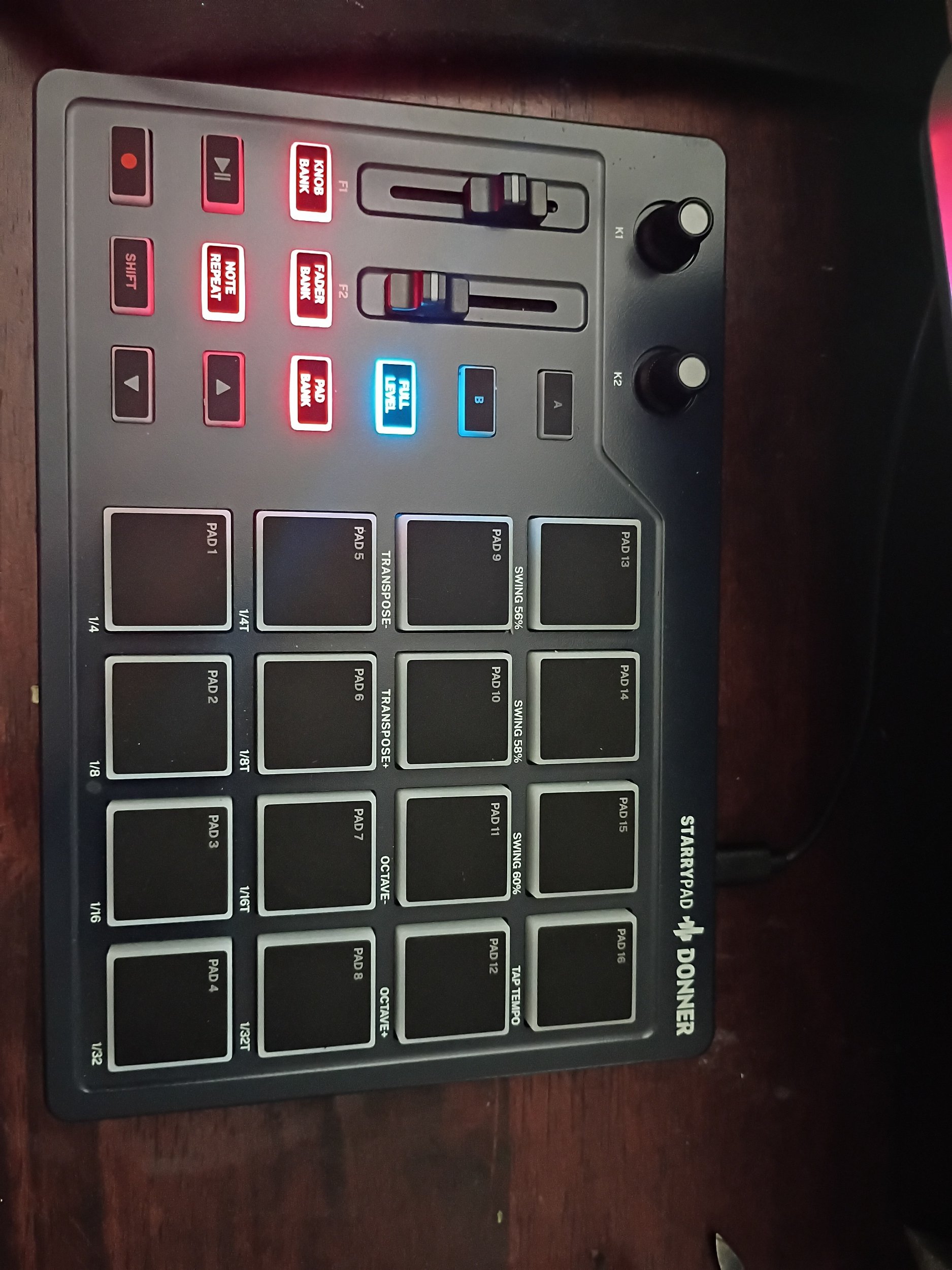
So I recently bought a new MIDI Controller, the Donner Starrypad. It's pretty cool so far.
I have been using the free version of FL Studio for over 20 years now. I was thinking, it's about time to actually buy it, but I don't think that the Transport Controls (Play/Pause, Record) can't be mapped to FPC. In other words, I have to click on those buttons on screen instead of on the Starrypad. That's alright, for now, but I am considering going with another DAW that would be fully compatible.
Besides that, I like the Starrypad. It's my first pad based MIDI Controller. I've been making beats using my MIDI Keyboard for the last few years, The M Audio Keystation. (And before that, I made beats using my phone, at the Apple Store, and on many different DAWs including FL Studio)…It's great, but I wanted to really get into making my drum patterns exactly like I hear them in my head. A pad based MIDI Controller is perfect for this, and for under $50 on Temu, this was a good first dip into finger drumming.
I've already made a few beats using the Starrypad, one of them being the YouTube Short I made called “Electric Connections”. It's actually the first beat I made after figuring out how the thing works.
I was confused when I first connected with FL Studio FPC, as everything was scrambled. All the pads were in the wrong places, some pads didn't do anything; it was a mess.
Luckily, after watching a bunch of YouTube videos about it, I was able to fix it. There's a drop-down menu in FPC right above the pads. Once you click it, scroll down to the option to sync all the pads, (I forgot exactly what it says, but it's near the bottom of the menu) then start from the bottom left, hit every pad in order, going left to right. After that, every pad should be correct.
Then you have to link up the knobs and sliders. Well, you really don't have to, but if you want to, it's easy. Either right-click the thing you want to put on a knob or slider, and choose ‘Link to controller’. Then move the thing you want to link, and it should work.
Now, like I said in the beginning, I don't think you can link the Transport Controls. This is because FL Studio uses MMC only for the Transport Controls, and the Starrypad uses CC. This is MIDI talk, stuff I still am learning about. If anyone out there is using the Starrypad and can connect the Transport Controls to FPC, please let me know.
Another thing to mention is the sensitivity of the pads. Since this is my first pad based MIDI Controller, I have nothing to compare it to. Still, I will I could adjust the sensitivity of the pads. Sometimes they are too sensitive, other times not enough.
Fortunately there's editing software that can help. Unfortunately Donner makes it difficult to find this software. I had to search for it for a while, but after finally finding it, I can control more of the Starrypad before I start making music.
Now I just have to figure out that program! Was able to do a few simple things, but in order to get the most out the Starrypad, I'm going to have to learn more about MIDI and music in general.
I figure, once I really get the most out of this Starrypad, I can graduate to something a little bit more powerful. Maybe something with a screen on it so I can access recorded projects and check out the other options.
But for now, I'm going to make more beats and use it to chop up samples. I sampled my own songs, voice and beats so far, and I might start chopping up some stuff that I can get freely from the public domain. Maybe some old songs that can be revived by a new perspective, you know?
Well, I have to get to work, but I am thinking about a beat I want to make later on. Thank you for reading this far, and if you like what I do, go to my Shop and download my new song, “Electrick”. I made it using the Starrypad. It's me on my Portishead type shit, very 90s trip hop. The beat in my head right now is on some Sneaker Pimps vibe, so I am excited to get to it.
Anyway, have a great day! Talk to you later…